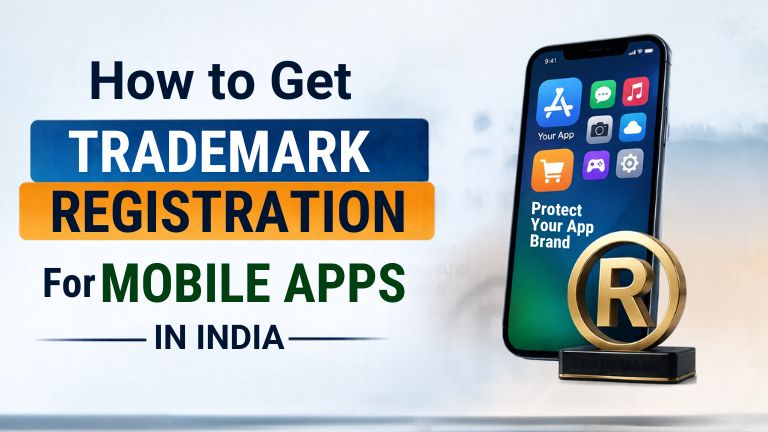
Thousands of mobile apps are launched on the Google Play Store and Apple App Store every day. Some apps are trending fast but many developers forget one important step – protecting your app name and logo.
If there is no legal protection, another company may use a similar brand, which may cause customer confusion, loss of trust, and expensive litigation. Mobile App Trademark Registration lets you secure your brand identity and get exclusive legal rights on your app’s name & logo.
If you are a startup, software company or an independent developer, registering your trademark is a wise investment. In this guide we’ll cover the registration process, the benefits, the documents you’ll need and why it’s important to protect your app brand.
Why Trademark Registration for Mobile Apps Matters
A mobile app is not just software. It is a brand that users know by name, logo, icon and reputation.
So if your app is successful, competitors may want to use a similar name to lure your customers. A registered trademark gives you the legal rights to stop such misuse.
There are several benefits to Trademark Registration for Mobile Apps.
- Protecting your app name from unauthorised use
- Builds trust between users and investors
- Generates a valuable business asset
- Facilitates legal action against infringement
- Supports business expansion in India and overseas
Many investors also like to see startups that have protected their IP before raising money.
What Can Be Trademarked in a Mobile App?
Many developers believe that the only thing that can be registered is the app name. That’s not true.
Depending on your business you may need to register:
App Name
The special name that appears on the Play Store or App Store.
Brand Logo
Your company logo or app icon might be eligible for trademark protection.
Tagline
If your application has a unique slogan, you can also register it.
Company Name
Many companies spend time and money protecting their company name and their mobile app in various ways.
Remember, trademarks are your brand’s protection. They don’t protect the source code or functionality of the app.
Mobile App Trademark VS Copyright
There is much confusion among people about the difference between trademarks and copyrights. Both protect different areas
| Trademark | Copyright |
| Protects brand name, logo and slogan | Protects source code and original content |
| Governed by Trademark Act, 1999 | Governed by Copyright Act, 1957 |
| Stops others using similar branding | Stops copying of software code and creative work |
| Helps build brand value | Protects intellectual creation |
Most successful app businesses use both trademark and copyright protection.
Who Should Apply for Trademark Registration for Mobile Apps?
Trademark protection is good for companies of all sizes.
If you are you should consider registration because:
- Founders of start-ups
- Mobile app development
- SaaS companies
- Software firms
- Online shopping sites
- Game companies
- Healthcare app providers.
- Fintech companies
- EdTech firms
- Freelance developers creating branded apps
Documents Required for Trademark Registration for Mobile Apps
The application process is straightforward when your documents are ready.
Generally, you will need:
- Applicant’s identity proof
- Address proof
- Business registration certificate, if applicable
- Brand name or logo
- Power of Attorney (if filing through a trademark professional)
- User affidavit, where applicable
Preparing accurate documents helps avoid unnecessary objections during examination.
How to Register a Trademark for a Mobile App in India
Registration is a legal procedure and involves a number of steps.
Step 1 – Trademark searches
Search the trademark database to see if there is a similar mark.
Step 2 – Choose Your Trademark Class
Mobile applications are categorised into various types based on the nature of software and services provided.
It is important to choose the right class, because if you are in the wrong class you may have less legal protection.
Step 3 – File Trademark Application
The application is filed with the class and supporting papers after the trademark search. If your filing is successful, you will get an acknowledgement and a trademark application number.
You can use the ™ symbol while your app is pending.
Step 4 – Trademark Registry Examination
The Trademark Registry shall check your application to see if it meets the requirements of the Trade Marks Act, 1999.
If objections are made, a reply shall be submitted within the prescribed time. A good prepared answer can often increase the chances of approval.
Step 5 – Publication in the Trademark Journal
The application is published in the Trademark Journal if accepted.
This means that third parties can oppose the application if they believe it violates rights they already possess.
Step 6 – Trademark Registration Certificate
In the absence of any oppositions or if the opposition is decided in your favour, the Trademark Registry will issue the Registration Certificate.
Once registered, you can legally use the ® symbol.
Which Trademark Class Applies to Mobile Apps?
Selecting the right class is one of the critical steps in Trademark Registration for Mobile Apps.
Common classes are:
- Class 9 – Downloadable software, applications, computer programs and digital products
- Class 42 –Software development; SaaS services; cloud – based applications and IT services.
Some businesses may require additional classes depending on the products or services being provided through the application. The filing in the correct class gives you more legal protection.
Common Mistakes to Avoid
Many trademark applications are delayed by avoidable mistakes.
Common mistakes to avoid:
- Choosing a generic or descriptive app name
- We will skip the search for trademark availability.
- Filing in the wrong trademark class.
- Giving wrong particulars of the applicant.
- Disregarding examination reports or notices.
- Waiting to use until the app is popular.
Getting in early is usually safer than trying to lock down rights once your brand is well known.
Advantages of Getting Professional Trademark Assistance
You can apply for a trademark online. But it is easier and quicker with advice from a professional.
The trademark professional can assist you with:
- Checking the availability of trademarks
- Selecting the right class
- Submitting an application
- Opposition proceedings
- Replying to examination objections
- Registration procedure supervision
Professional assistance will save you time and money and better protect your rights.
Conclusion
Creating a successful mobile application requires creativity, money and hard work. The protection of such an investment should be a part of the business plan from the very beginning.
Registration of Trademarks for Mobile Apps ensures legal protection and prevents others from using a deceptively similar trademark/logo. This also increases the value of your business when it comes to dealing with clients, investors and other parties in the future.
If you plan to release your mobile application or have already created one, MY LEGAL BUSINESS LLP is ready to help you register your trademark.
Protect your mobile application now and do not allow anyone to steal your trademark.
FAQs
1. How do I trademark the name of my mobile application in India?
Sure. If the name of your app is unique and not identical to some existing trademark application or existing trademark, you may register an exclusive trademark for the name of your app.
2. Will trademark registration of Mobile Apps protect my application source code?
No. The trademark protects the source code, name and logo of your app. Protection of the source code may be protected by Copyright law.
3. How long does the Trademark Registration of a Mobile App take?
The registrar submits the acknowledgement once you submit the application form for trademark name registration of your mobile app. It takes few months to get your app name registered. It also depends on any objections or opposition to the application, if any.
4. Which trademark class is used for mobile applications?
Most mobile applications are filed under Class 9 for downloadable software. Businesses offering software services may also require Class 42, depending on the nature of their services.
5. Can startups apply for trademark registration?
Yes. Startups, software companies, independent developers and established businesses can all apply for trademark registration to protect their mobile app brand.
Trademark Registration for Healthcare Clinics in India
Trademark Registration for Pharmaceutical Companies in India
Trademark Registration for Influencers in India
Trademark Registration for Gym and Fitness Services
Trademark Class List Explained with Examples
Why Small Businesses Skip Trademark Registration in India
Trademark Registration for E-Commerce Sellers and Amazon Brands
Trademark Licensing vs. Trademark Assignment
Top 10 Trademark Mistakes Every Indian Start-Up Must Avoid